Frequently asked questions
Quick answers. Tap a question to open it.
Getting started
What is Seamless Scene?
A library of fan edits: new cuts of films and series you already watch. A Chrome extension plays the edit on top of your own stream, so the original is never copied or changed.
Do I need the original movie or episode?
Yes. You watch through your own streaming subscription. We never supply the original program.
What is the difference between the Viewer and Creator editions?
The Viewer edition, from the Chrome Web Store, is for watching edits. The Creator edition adds the tools for making edits and is a ZIP for approved creators. Install one or the other, not both. Compare the editions.
Can I watch on my phone or TV?
Not yet. Playback needs desktop Chrome. On a phone you can still browse, request edits and manage your account.
How do I get access?
Create a free account and verify your email. To publish edits of your own, apply to be a creator.
Watching an edit
Will a different version of the film work?
Only if it matches exactly. Each edit page lists the service, region and cut it was made for. The same title or runtime is not enough.
Why do the player controls disappear during an edit?
A replacement clip plays over the original video and can cover its controls. Click the Seamless Scene badge on the video (or the toolbar icon) and press Stop edit to return to normal playback at any time.
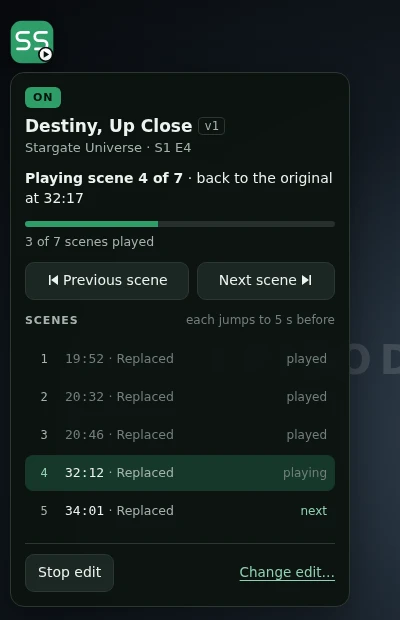
Where are the extension’s settings?
Click the toolbar icon, then Settings at the bottom of the toolbar menu. Library lists the edits on this computer, Playback has the player badge and scene-jump options, and Account & sites links your account.
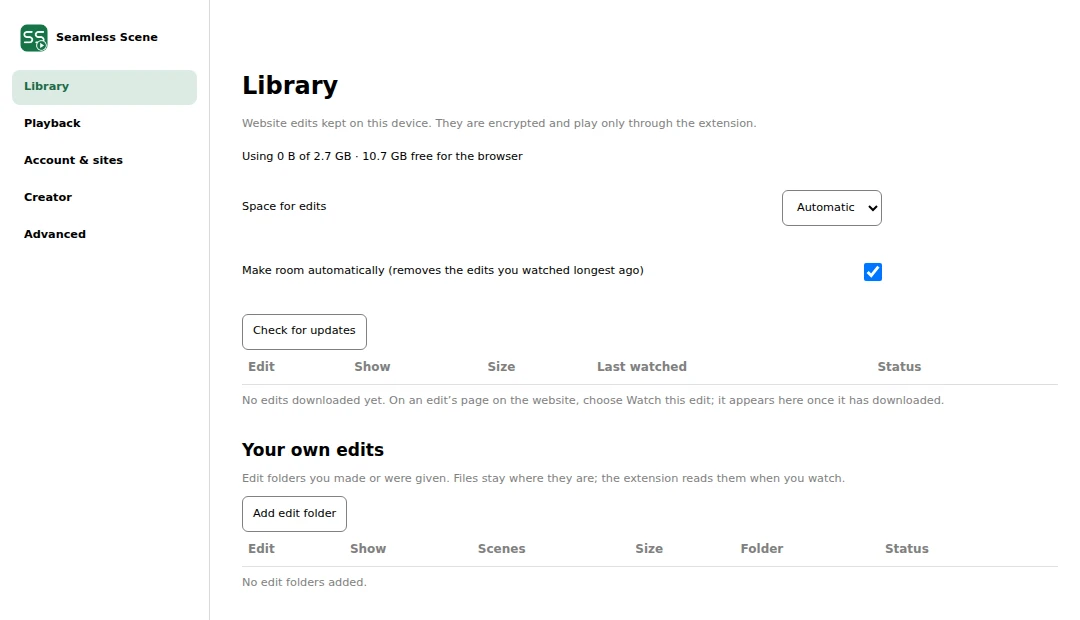
Privacy and your files
Does the extension upload my files or record my stream?
No. Everything plays locally in your browser. Only creators upload, through a separate submission step.
What happens if an edit is withdrawn?
New downloads stop, but copies already on your computer are not erased. See Legal for how we handle records.
Community
What do download counts and ratings mean?
Downloads count distinct people, not repeat downloads. Only people who downloaded an edit can rate it, and creators cannot rate their own work.
How do I suggest an edit or report a problem?
Share ideas on the request board. For timing, content or rights issues, report a problem; no account needed.
Still stuck? Contact us.